A guest checks out
The confirmed booking creates a cleaning task, due on the checkout day. You can add your own tasks too, for a deep clean or a repair visit.
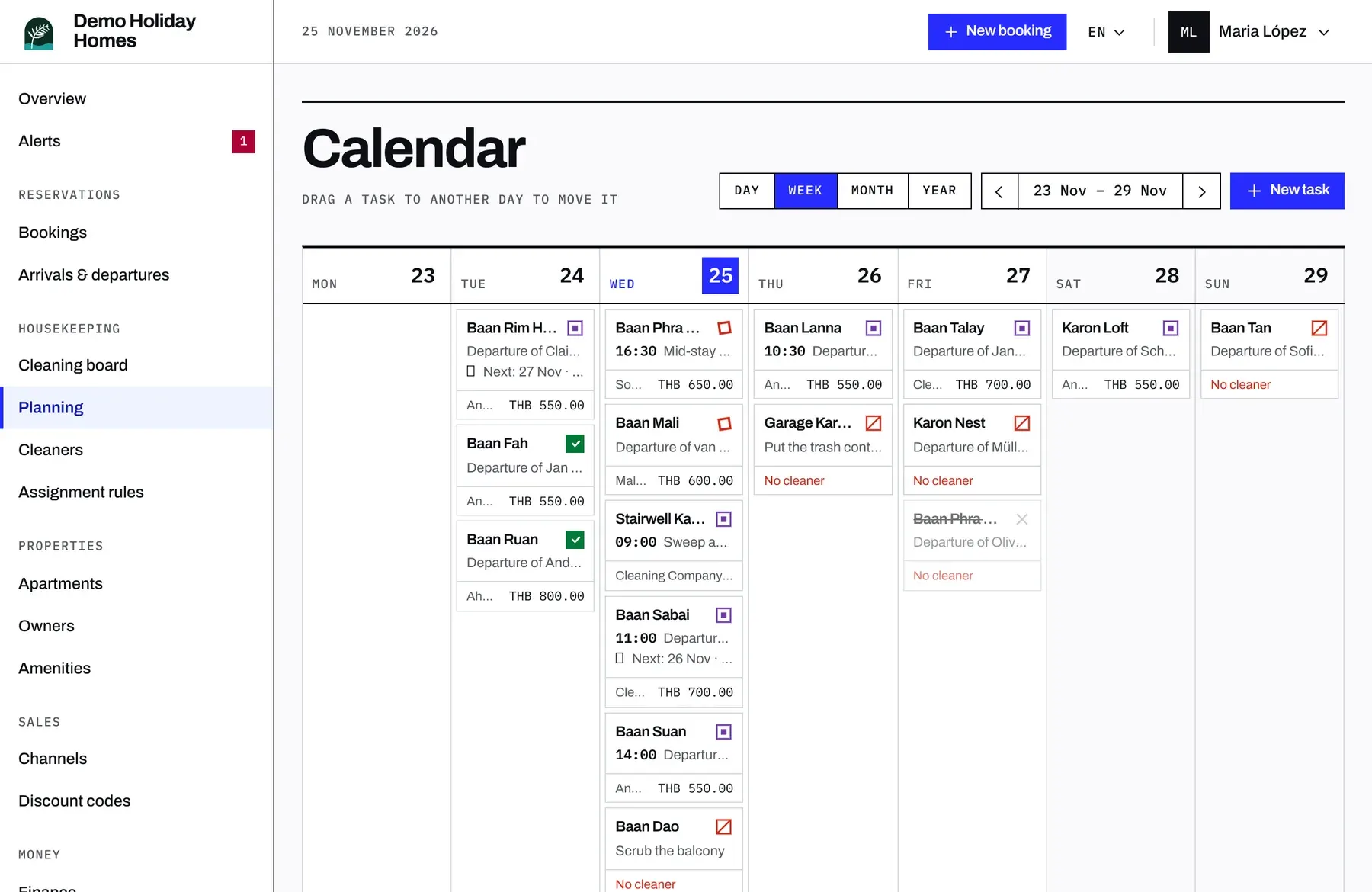
Every checkout creates a cleaning task. A board shows the state of every apartment, a calendar lets you move work around, and the cleaner’s phone shows what to prepare for the next guests.
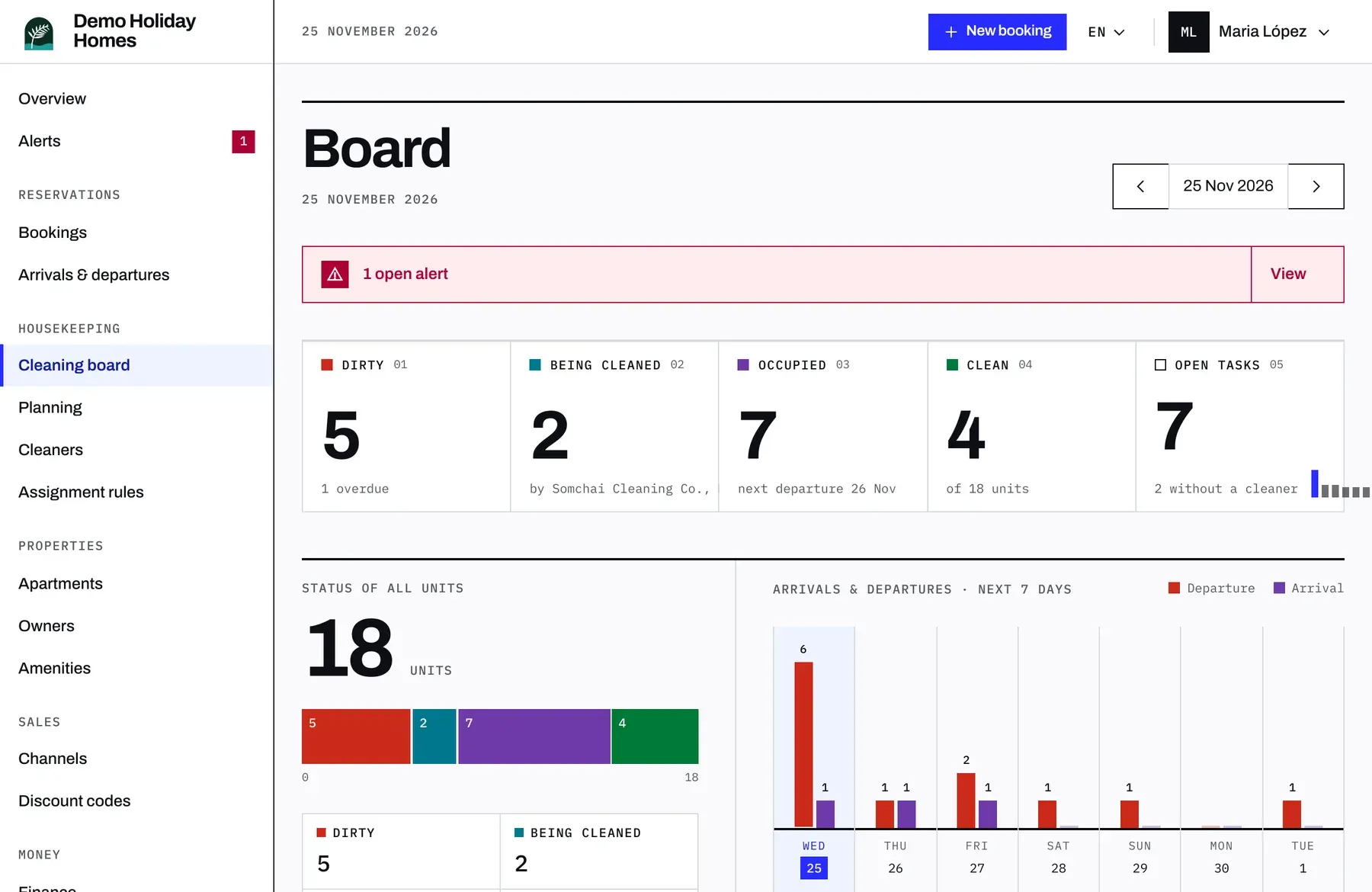
Nobody has to remember the next step.
The confirmed booking creates a cleaning task, due on the checkout day. You can add your own tasks too, for a deep clean or a repair visit.
Assignment rules per building or per apartment pick the cleaner for you. Change it later by dragging.
Arrival time of the next guests, how many are coming and which extras they booked.
The cleaner finishes on the phone, and the apartment moves from dirty to clean on your board.
Open it in the morning and you see where the day’s work is and which apartments will be ready in time.
A cleaner calls in sick? Drag the task to another day or to another cleaner. No messages to send around.
Cleaners sign in with a link sent by e-mail, with no password to remember, and see only their own tasks.
4 guests: make up the sofa bed
The instruction is written from the next stay in the apartment, using rules you set per apartment. Staff can replace the text on any single task.
Freelancers, companies and the house rules of every apartment.
Each cleaner has a default rate, and fixed rates per apartment where you agreed them.
Per building or per apartment, so new tasks land with the right person.
Arrival date and time, number of guests and the extras they bought.
Counted per task against a baseline you set for each apartment.
Codes, trash rules and anything else a cleaner needs to know, per apartment.
A garden visit, a repair or a deep clean, with a free location when needed.
Replace the automatic text on a task, or switch it off for that task.
A cleaner sees their own work and nothing else, no amounts of your bookings.
No app store needed. They open the link on their phone, sign in through a link sent by e-mail and see their tasks.
Yes. A cleaner can be a freelancer or a company, each with a default rate and fixed rates per apartment.
Drag the task to another day or another cleaner in the planning calendar. Tasks without a cleaner are flagged until someone has them.
No. Apartments that owners manage themselves do not get cleaning tasks from you.
The demo is a complete installation of a fictional rental company. Book a stay, pay with the test checkout and look around the back office.